
Optimize Your Clinic Workflow: New and Improved Calendar Features on Embodia
By: By: Maggie Bergeron, MSc(PT)∙ Estimated reading time: 3 minutes
By: By: Maggie Bergeron, MSc(PT)∙ Estimated reading time: 3 minutes
Introduction
Efficient scheduling is essential for any healthcare practice. Whether you’re a physiotherapist, chiropractor, pelvic health practitioner, or part of a multidisciplinary clinic, you need practice management software that makes booking and managing appointments seamless. That’s why Embodia’s clinic scheduling and EMR calendar continues to evolve—with new features designed to streamline your workflow, reduce administrative burden, and improve the patient experience.
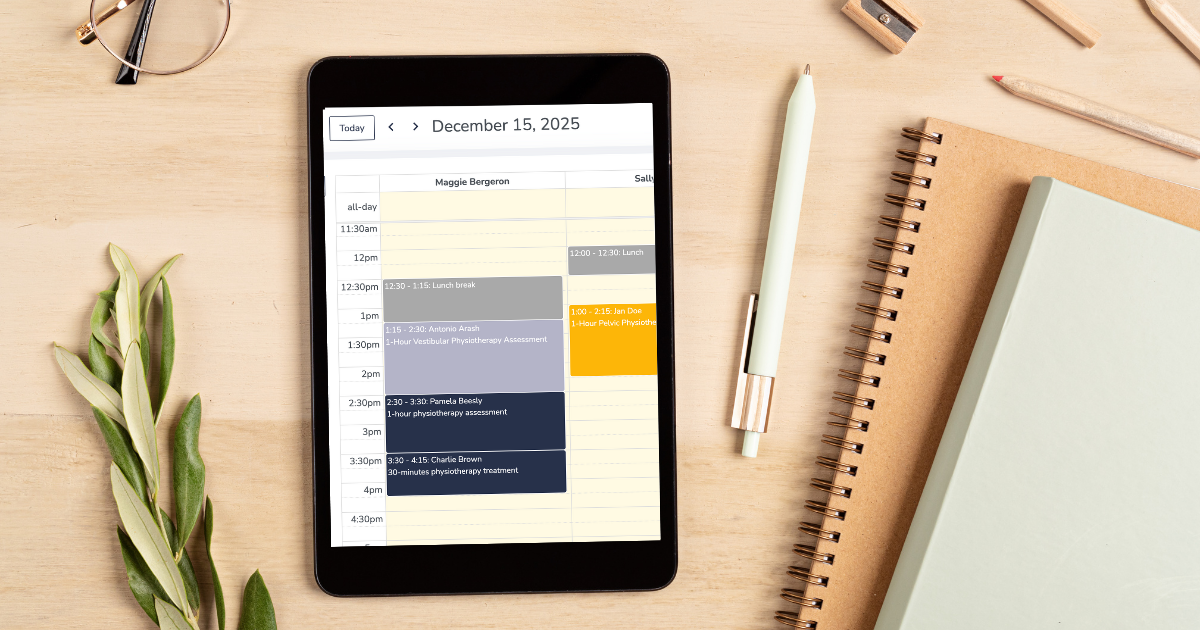
Our latest update introduces a popular request from our community: a collapsible sidebar that allows you to view your clinic calendar in full-screen mode. This enhancement, along with Embodia’s suite of robust scheduling tools, helps practitioners stay organized and operate more efficiently.
New Update: Collapsible Sidebar for a Full-Screen Calendar View
Healthcare practitioners asked—and we listened. The new collapsible sidebar gives you more space to view your schedule and manage appointments with clarity. This update is ideal for clinicians and clinic owners looking for a clean, expansive layout when using their practice management calendar.
With the collapsible sidebar, you can:
-
View your calendar in full-screen mode
-
Better manage multiple practitioners’ schedules
-
Easily visualize overlapping or complex appointment blocks
-
Reduce screen clutter for a smoother scheduling workflow
This improvement is available now and is part of our ongoing commitment to building responsive, user-driven practice management tools.
Powerful Scheduling Features to Support Your Practice
Embodia’s practice management and EMR calendar combines ease of use with powerful functionality. These features help clinics streamline operations, coordinate team schedules, and enhance patient communication.

Multiple Calendar Views
Switch between day, week, and month views to navigate your schedule at the level of detail you prefer.
Practitioner, Location, and Resource Filters
Easily toggle between team members or clinic locations—perfect for multidisciplinary practices.
Fast Appointment Booking and Editing
Create, modify, or reassign appointments in just a few clicks, reducing admin time.
Integrated Patient Information
Access patient charts, notes, intake forms, and history directly from the appointment window.
Colour Coding and Visual Organization
Use colours to differentiate practitioners, appointment types, or service categories.
Advanced Clinic Scheduling Tools
In addition to core calendar features, Embodia includes advanced tools that support growing practices and busy clinicians.
Drag-and-Drop Appointments
Quickly adjust start times or move appointments by dragging them within the calendar—ideal for last-minute changes or high-volume clinics.
Learn more:
Drag and Drop Calendar Appointments
Recurring Appointment Options
Easily schedule ongoing treatment plans or repeated sessions for long-term patients.
Waitlist Management and Automated Notifications
Reduce cancellations, increase booking efficiency, and communicate seamlessly with patients.
Online Booking Integration
Sync availability with your online booking settings to reduce back-and-forth and increase patient self-service.
Appointment Status Tracking
Track completed, cancelled, no-show, and rescheduled appointments for accurate clinical records.
Learn More: Calendar Training & How-To Guides
For clinicians who want a detailed walkthrough of Embodia’s scheduling features, explore our step-by-step guide.
Built with Your Feedback: Practice Management That Evolves With You
At Embodia, we continuously improve our practice management software based on real feedback from clinicians. The collapsible sidebar is one example of how our community shapes the platform. Your insights help us build tools that enhance patient care, support clinic operations, and simplify day-to-day tasks.
If you have suggestions for new features or improvements, we’d love to hear from you! Email us at support@embodiaapp.com
---
Date written: 01 Dec 2025
Last update: 16 Dec 2025